Actions (Help, Analysis, Ignore)
Purpose
Use actions on a prediction to get guidance, validate it with data, or remove noise from future suggestions.
Help
Purpose
Open related guidance suggestions for the predicted issue without leaving AI Predictions.
Steps
- Open App > AI Predictions.
- Select a prediction card.
- Select Help.
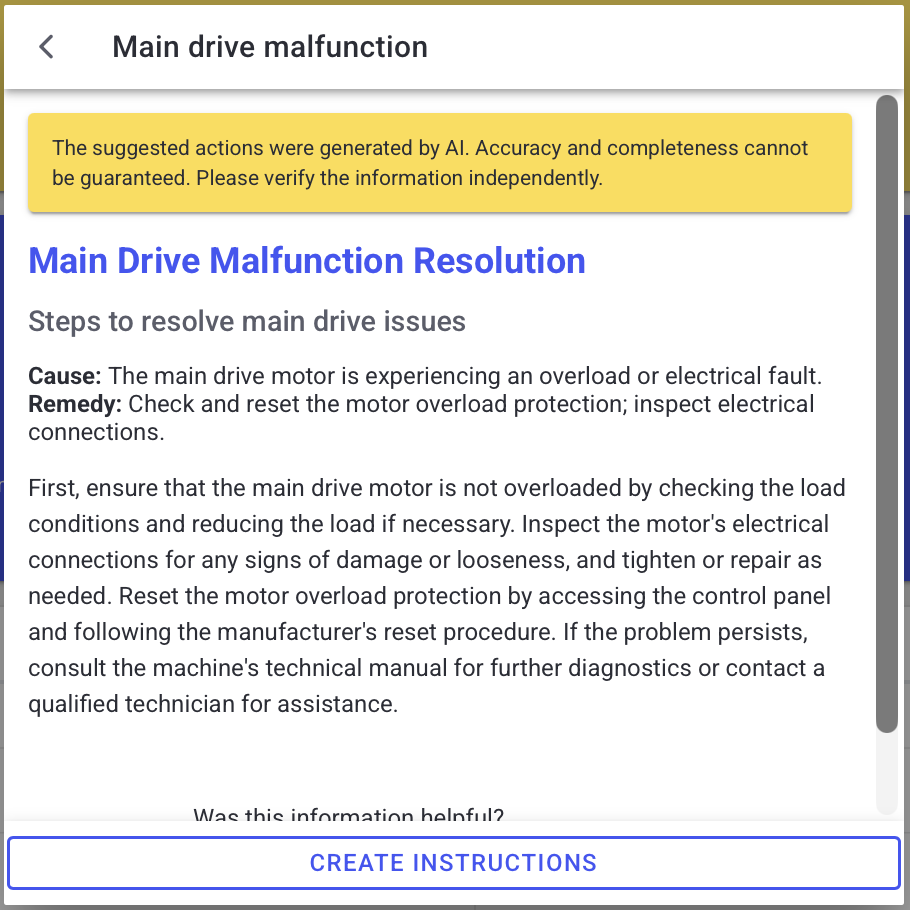
- Review exact and similar guidance matches.
- If you have permission, create a new guidance entry from the suggestion flow.
What users see
- Exact matches for the predicted source.
- Similar guidance matches based on the predicted reason text.
- If permitted, a Create new action to start a new guidance entry.
Example (names and layout may vary by deployment):
Analysis
Purpose
Validate the prediction using historical data (without AI text).
Steps
- Open App > AI Predictions.
- Select a prediction card.
- Select Analysis.
- Review statistical metrics and the event history table.
What users see
Depending on your deployment, analysis can include:
- max/min/average and standard deviation of event durations
- time between events (TBE) or similar interval metrics
- an event table with:
- timestamp
- duration
- time until next appearance (if available)
Ignore
Purpose
Remove a prediction so it is no longer shown and is not considered in future suggestions.
Steps
- Open App > AI Predictions.
- Select a prediction card.
- Select Ignore.
When this is useful
- You already resolved the underlying cause.
- The prediction is expected in specific conditions.
- You want to focus on higher-priority issues.
Best practices
- Use Analysis before escalating to confirm recurrence and severity.
- If you create new guidance from the Help flow, have a qualified person review it before rollout.
- Avoid ignoring safety-critical issues. Align with your site policy.
Troubleshooting
- Buttons are missing -> Feature not enabled or missing permission -> Ask an admin to review module availability and your role -> Escalate with the prediction title and a screenshot (if allowed)
- Analysis shows no history -> Limited data window or new issue -> Expand the time range (if available) and retry -> Escalate if the issue is known but history remains empty