Ignore Messages
Purpose
Ignore messages hides selected errors and warnings from dashboards and analyses for a specific machine.
This affects how data is displayed and analyzed, but does not change the machine's behavior or safety functions.
Steps (ignore a message)
- Open Settings > Machines.
- Select the machine.
- Open Ignore messages.
- Select Errors or Warnings.
- Search for the message by index or text.
- Mark the message as ignored (toggle).
Steps (restore a message)
- Open Settings > Machines > [Machine] > Ignore messages.
- Find the message and turn off the ignore toggle to restore it.
What users see
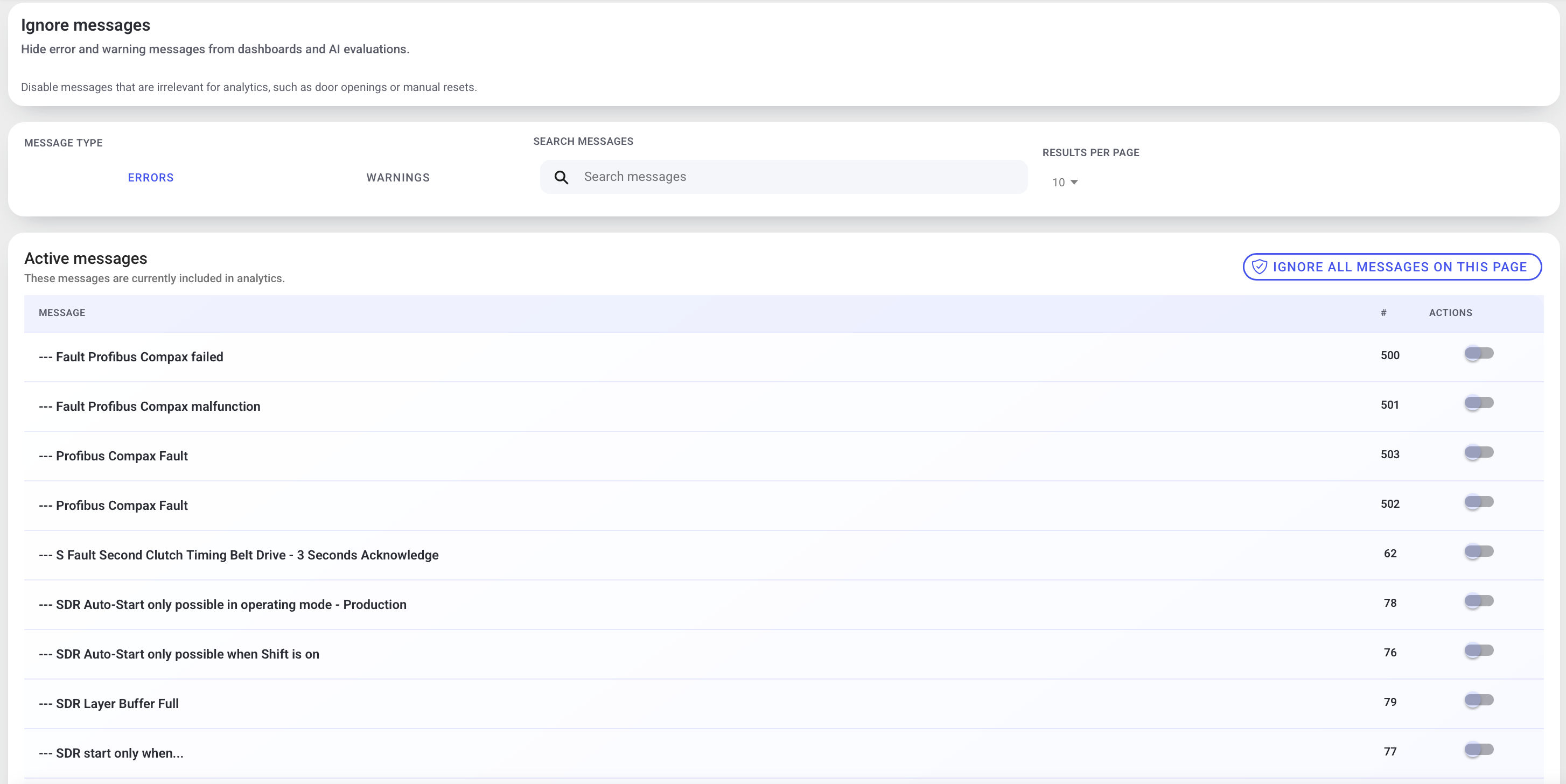
- Tabs for message type (Errors / Warnings).
- Search bar and paging controls.
- A list of messages with an ignore toggle per row.
- Optional bulk actions (for example ignore all messages on the current page).
Example (names and layout may vary by deployment):
When to use this
Ignoring messages is useful for analytics when messages:
- occur frequently but are not relevant for performance/availability analysis (for example: "door open" during planned cleaning)
- are derivative/secondary messages that add noise
Best practices
- Keep the ignore list small and review it periodically.
- Coordinate with maintenance/quality before ignoring messages that might indicate a real issue.
Troubleshooting
- A message still appears in analytics -> Not ignored or wrong machine selected -> Verify machine selection and ignore status -> Escalate with the message index and machine name