First Login
Purpose
Authenticate the user and confirm first successful access.
Note: some deployments allow read-only access without signing in. Sign-in is typically required for actions that modify the system (for example machine settings, user management, or instruction edits).
Steps
- Open Harro Digital (browser or app).
- Select Sign In (if not already shown).
- Enter your username and password.
- Select Sign In.
- If additional verification is configured by your organization, follow the on-screen prompts.
- Confirm the Dashboard opens successfully.
What users see
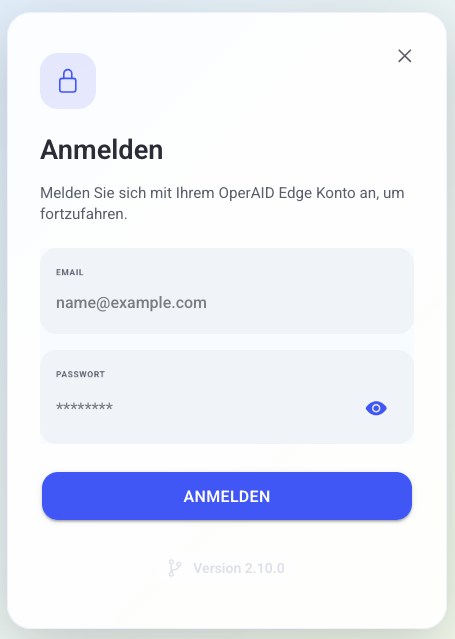
- Secure login page.
- Optional verification step (only if enabled).
- Dashboard after successful sign-in.
Best practices
- Confirm time zone and language settings after first sign-in.
- Keep login ownership personal and do not share accounts.
- Use a password manager if allowed by your policy.
Troubleshooting
If sign-in fails, use Troubleshooting > Common Issues and document what happened:
- Sign-in fails or loops back to the login page -> Wrong credentials or missing access rights -> Re-enter credentials; request access from your administrator -> Contact support with your username and a timestamp