Guidance (Instructions)
Purpose
Use Guidance to access step-by-step guides for recurring tasks such as setup, cleaning, troubleshooting, scrap reduction, and warning correction.
Guidance entries are typically machine-specific and consist of multiple steps. Depending on permissions, you can create, edit, favorite, comment on, and rate them.
Quick start (find and run an instruction)
- Open App > Guidance.
- Find a guidance entry (choose one):
- select a machine card
- select a category card
- search by keyword
- Open a guidance card to enter the detail view.
- Follow the steps using the step navigation.
- On the final step, select Complete to return to the Guidance browser.
For detailed workflows, see:
- Instructions Browser
- Search and Filters
- Instruction View
- Create and Edit Instructions
- Backup (Import and Export)
What users see
Example (layout and content vary by deployment):
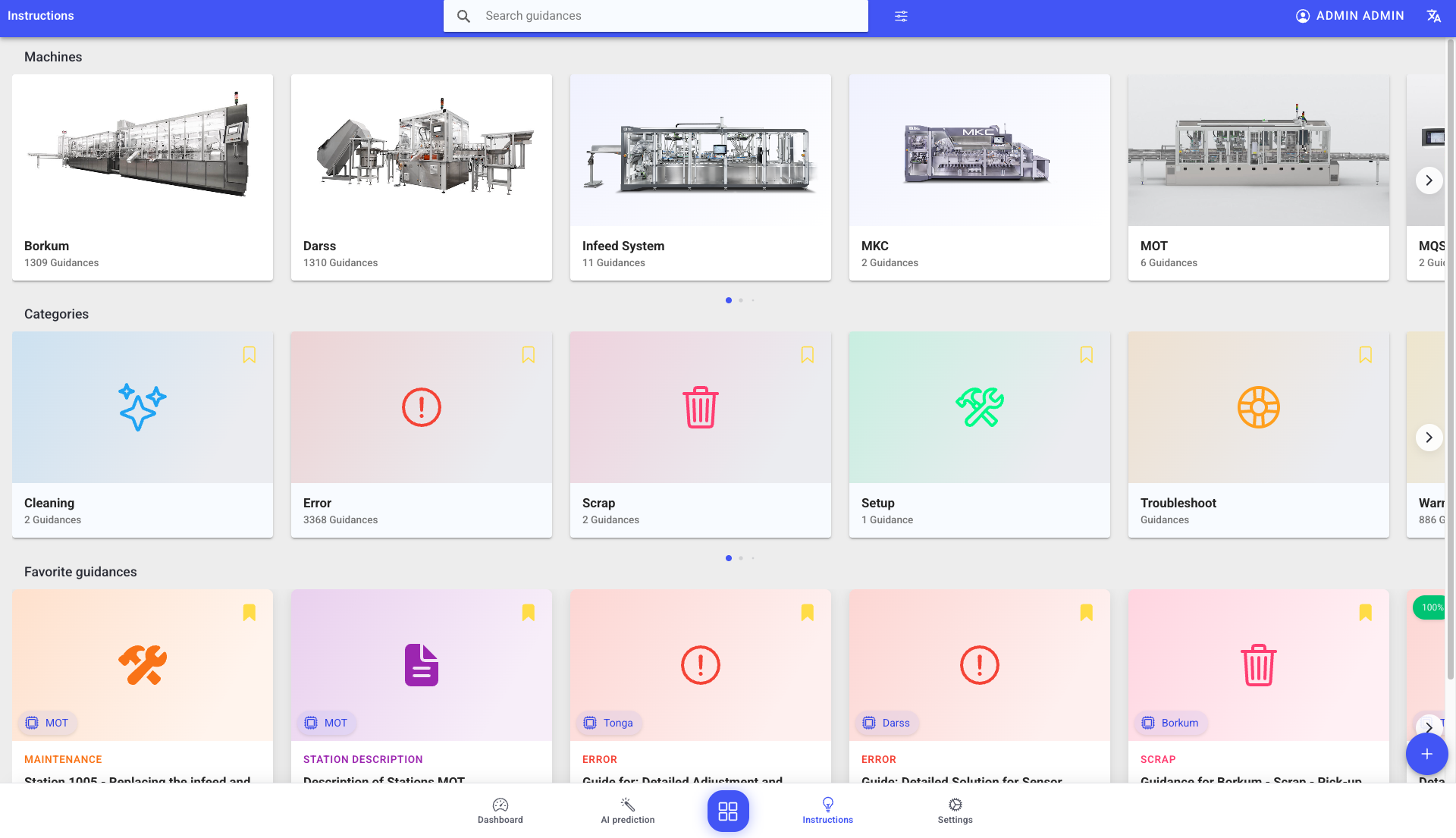
- Instructions browser sections:
- Machines (cards with machine photo and guidance count)
- Categories (cards with icon/color and guidance count — e.g. Cleaning, Error, Scrap, Setup, Troubleshoot, Warning)
- Favorite guidance (only when logged in and favorites exist)
- Search view with:
- active filters (removable)
- sorting (relevance, rating, last updated)
- additional filter side panel (categories, authors, machines; favorites-only; AI-generated-only)
- Guidance cards with:
- rating (0-100)
- favorite toggle (bookmark)
- machine and AI tags
- title, author, and last opened metadata
- Guidance view with:
- step list on the left
- selected step content in the center
- optional details view (author, dates, version info)
- likes/dislikes and comments (requires login)
Import and export
From the search view filter panel you can open Import / Export:
- Export can include the current state only, or full version history.
- Import can overwrite matching items and optionally include older versions.
See: Backup (Import and Export)
Best practices
- Keep steps short, action-oriented, and machine-specific.
- Use photos or videos when it improves correctness and safety.
- Encourage operators to leave comments when something is unclear or behaves unexpectedly.
- Reuse categories consistently so instructions remain easy to find.
Troubleshooting
-
Favorite guidance is missing -> Not signed in or no favorites set -> Sign in and bookmark the required entries -> Ask an admin to confirm your account permissions
-
You cannot create or edit guidance -> Missing permissions -> Use existing entries and follow SOPs -> Request the required role/permission from your admin