Logs
Purpose
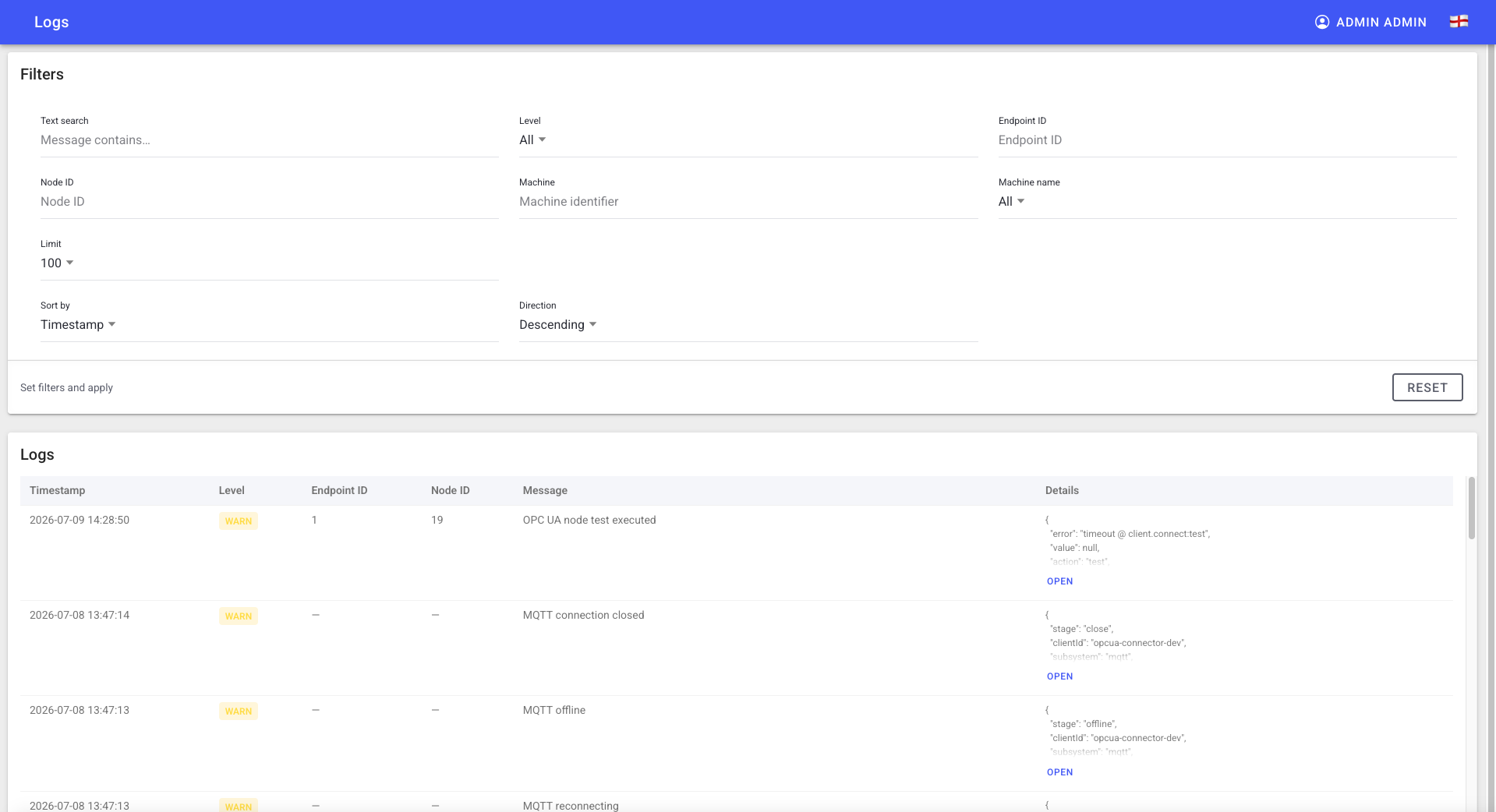
The connector keeps operational logs for auditing and diagnostics — connection events, node updates, and errors. Use them to diagnose why a connection or node isn't behaving.
Steps
- Open the Logs view in the OPC UA Configurator.
- Filter/scan for the connection, endpoint, or node in question.
- Use timestamps and messages to correlate with a failed test or missing value.
What users see
A log table of recent connector events. The connector also exposes an in-cluster log viewer for support teams; access depends on your deployment and role.
Troubleshooting
- Logs are empty -> Insufficient permission or no recent activity -> Confirm your role and trigger a test to generate entries.
- You need deeper diagnostics -> Escalate to support with the endpoint URL, machine ID, and the relevant log timestamps.