Analyze Message Popup
Purpose
Use the analyze message popup to drill into a specific error, warning, or scrap-related message directly from a chart or list widget.
It combines data-driven analysis, AI-supported guidance, and the ability to ignore messages (if permitted).
Steps
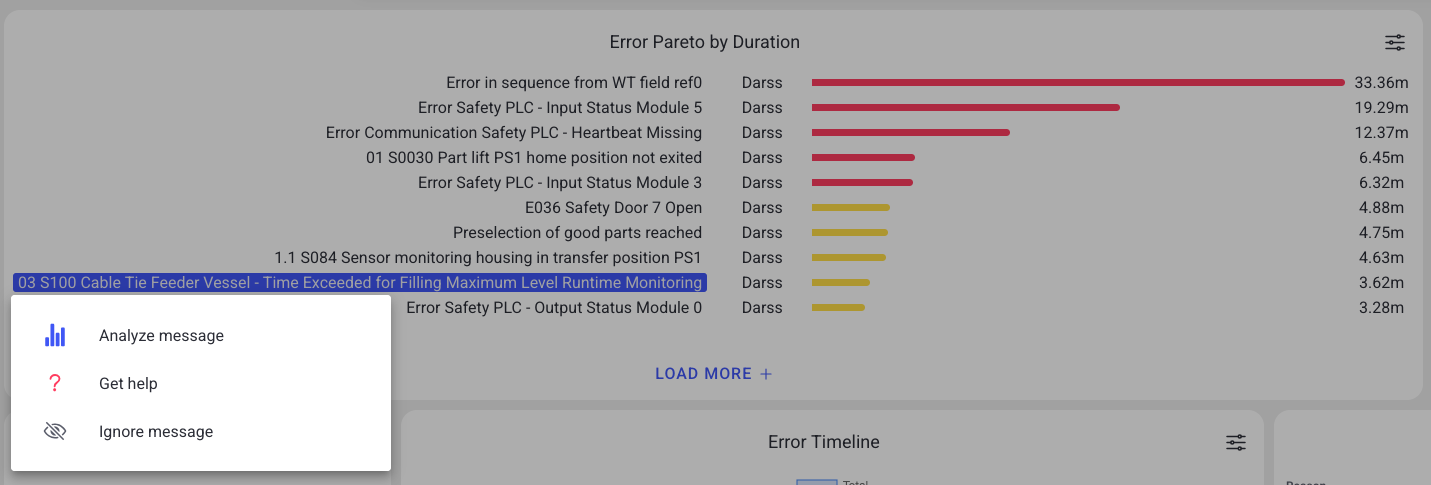
- In a dashboard widget (Pareto, history list, live alerts, timeline), select a message entry.
- Choose an action:
- Analyze message: statistical evaluation and event history
- Get help: guidance based on linked instructions (if available)
- Ignore message: hide message from future analyses (if permitted)
What users see
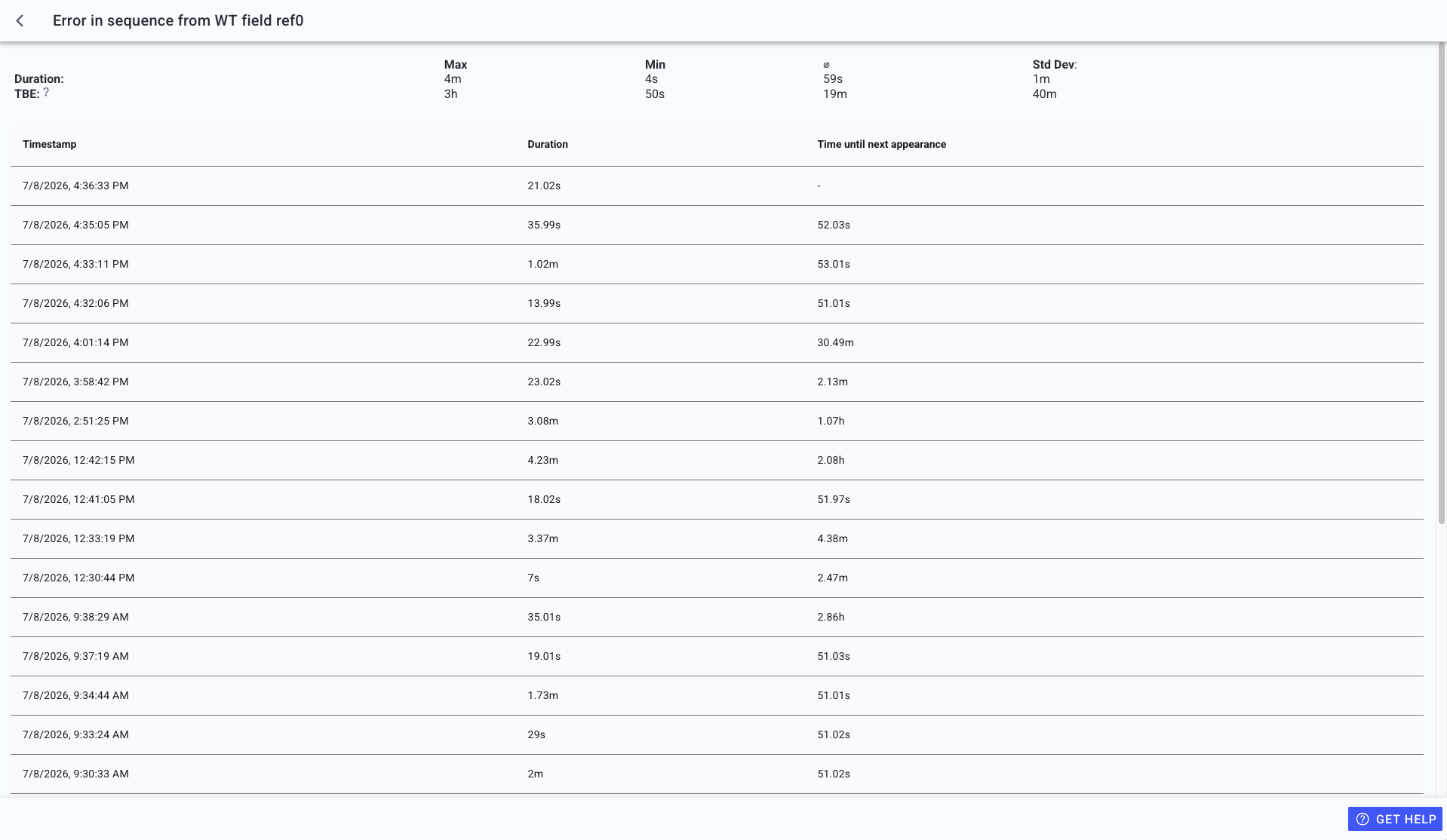
The full analysis modal shows the message details and history:
Depending on message type and permissions, you may see:
- An action selection view (analyze / get help / ignore).
- An analysis view with:
- max/min/average and standard deviation of durations
- an occurrence table with timestamps and durations
- "time until next appearance" intervals (if available)
- pagination controls (page size and navigation)
- A help view that can show:
- exact instruction matches
- similar instruction matches
- no match found (with an option to create new guidance if permitted)
- In timeline-based popups, tabs for Errors and Warnings and previous/next chevrons to move through neighboring items.
- An ignored-messages accordion when the selected series contains ignored entries.
Ignore message behavior
If a message is ignored:
- it will no longer appear in dashboards, charts, or message lists
- it will be excluded from downtime and warning evaluations
Ignored messages can be reviewed or restored via:
- Settings > Machines > Ignore messages
Best practices
- Use Analyze message to understand recurrence and durations before escalating.
- Use Get help for standardized corrective actions.
- Do not ignore safety-critical messages. Align with your site policy.
Troubleshooting
- Actions are missing -> Missing permission or message type does not support the action -> Ask an admin to review your role -> Escalate with a screenshot and message index
- A message disappeared from dashboards -> It was ignored -> Restore it in Settings > Machines > Ignore messages -> Escalate if you cannot access machine settings