Scrap Summary
Category: Scrap · Widget ID: scrap.history
What it shows
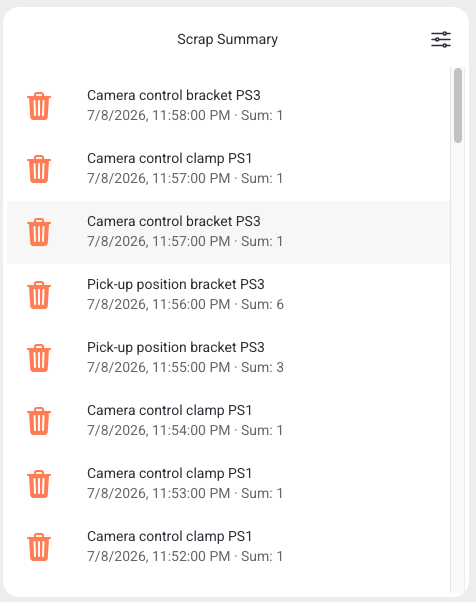
Shows summed scrap by machine and scrap reason for the selected time range — a compact table-style summary.
Data and refresh
- Data source: Reports API.
- Time range: Respects the selected time period (aggregated over the whole window).
- Machine filter: Respects the selected machine(s).
- Widget locks: You can lock this widget to its own machine and/or time range (Machine lock / Time lock) so it ignores the dashboard filters. See Custom Dashboard.
Configuration
This widget has no additional settings; it follows the dashboard machine and time filters.
How to read it
Each row totals scrap for a machine/reason combination. Use it to compare scrap across machines.
Interactions
- Load more — show additional rows.
Screenshot
Troubleshooting
Widget shows no data -> No events in the selected machine/period, or a filter is too narrow -> Widen the time range or change the machine, then refresh once -> If a machine that normally reports data stays empty, use Troubleshooting > Connectivity.