Machine Status Live
Category: Machine Status · Widget ID: machine.status-live
What it shows
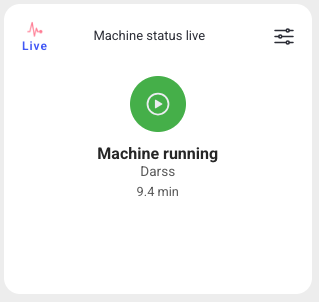
Shows the current machine status in real time. Use it as an at-a-glance indicator of whether the machine is running right now.
Data and refresh
- Data source: Live status stream (real-time).
- Time range: Live — always shows real-time data and ignores the selected time period and the dashboard refresh interval.
- Machine filter: Respects the selected machine(s).
- Widget locks: You can lock this widget to its own machine and/or time range (Machine lock / Time lock) so it ignores the dashboard filters. See Custom Dashboard.
Configuration
This widget has no additional settings; it follows the dashboard machine and time filters.
How to read it
A single status indicator with the current state and its color. Because it is live, it updates on its own and does not follow the dashboard time filter.
Interactions
- None. The widget updates automatically.
Screenshot
Troubleshooting
Widget shows nothing -> No live connection or the machine is not reporting -> Confirm the machine is online -> If it stays empty, use Troubleshooting > Connectivity with the machine name.