Warning Pareto
Category: Warnings · Widget ID: warning.pareto
What it shows
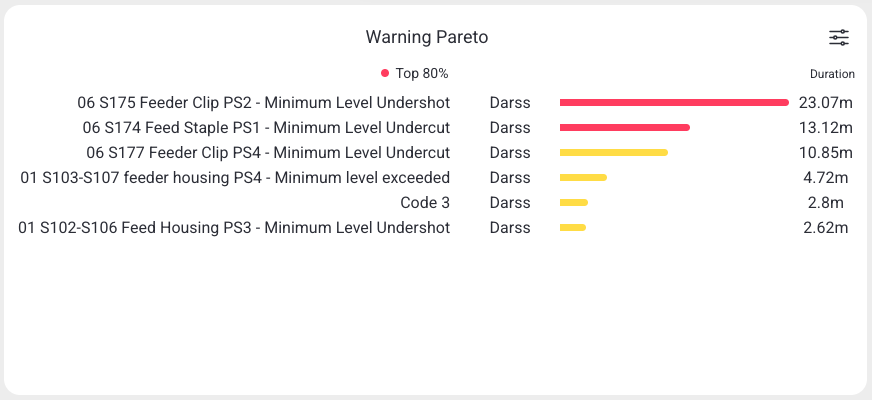
Highlights the most frequent or longest warnings in the selected period as a ranked (Pareto) list.
Data and refresh
- Data source: Reports API.
- Time range: Respects the selected time period (aggregated over the whole window).
- Machine filter: Respects the selected machine(s).
- Widget locks: You can lock this widget to its own machine and/or time range (Machine lock / Time lock) so it ignores the dashboard filters. See Custom Dashboard.
Configuration
Open the widget's filter menu (slider icon), then select Configure to change:
- Chart type: Pareto, Bar, Pie, Doughnut, or Table
- Sort by and Top N
- Message scope: All messages or Selected messages only
- Show legend
How to read it
Warnings are ranked by frequency or duration, largest first.
Interactions
- Analyze — open the message analysis popup for the selected message (see Analyze Message Popup).
- Help — open matching guidance suggestions for the message.
- Ignore — hide a message type from this widget (requires permission).
- Load more — load additional rows beyond the first page.
- Widget filter (top-right icon) — change top-N, message scope, and display.
Screenshot
Troubleshooting
Widget shows no data -> No events in the selected machine/period, or a filter is too narrow -> Widen the time range or change the machine, then refresh once -> If a machine that normally reports data stays empty, use Troubleshooting > Connectivity.