Message Causes (Errors and Warnings)
Purpose
Message causes map message indices to multilingual texts. This ensures operators and analysts see meaningful error and warning messages instead of raw numeric IDs.
Steps (view and search messages)
- Open Settings > Machines.
- Select the machine.
- Open Message causes.
- Switch between Errors and Warnings.
- Use search to find a message by text or index.
Steps (edit or add a message cause)
- Open Settings > Machines > [Machine] > Message causes.
- Select a message to edit, or select Add cause.
- Enter:
- message index
- cause text per language
- Select Save.
Steps (import message causes from Excel)
- Open Settings > Machines > [Machine] > Message causes.
- Select Import (if available).
- Choose the Excel file and worksheet.
- Map columns (index and language columns).
- Review the preview and confirm the import.
What users see
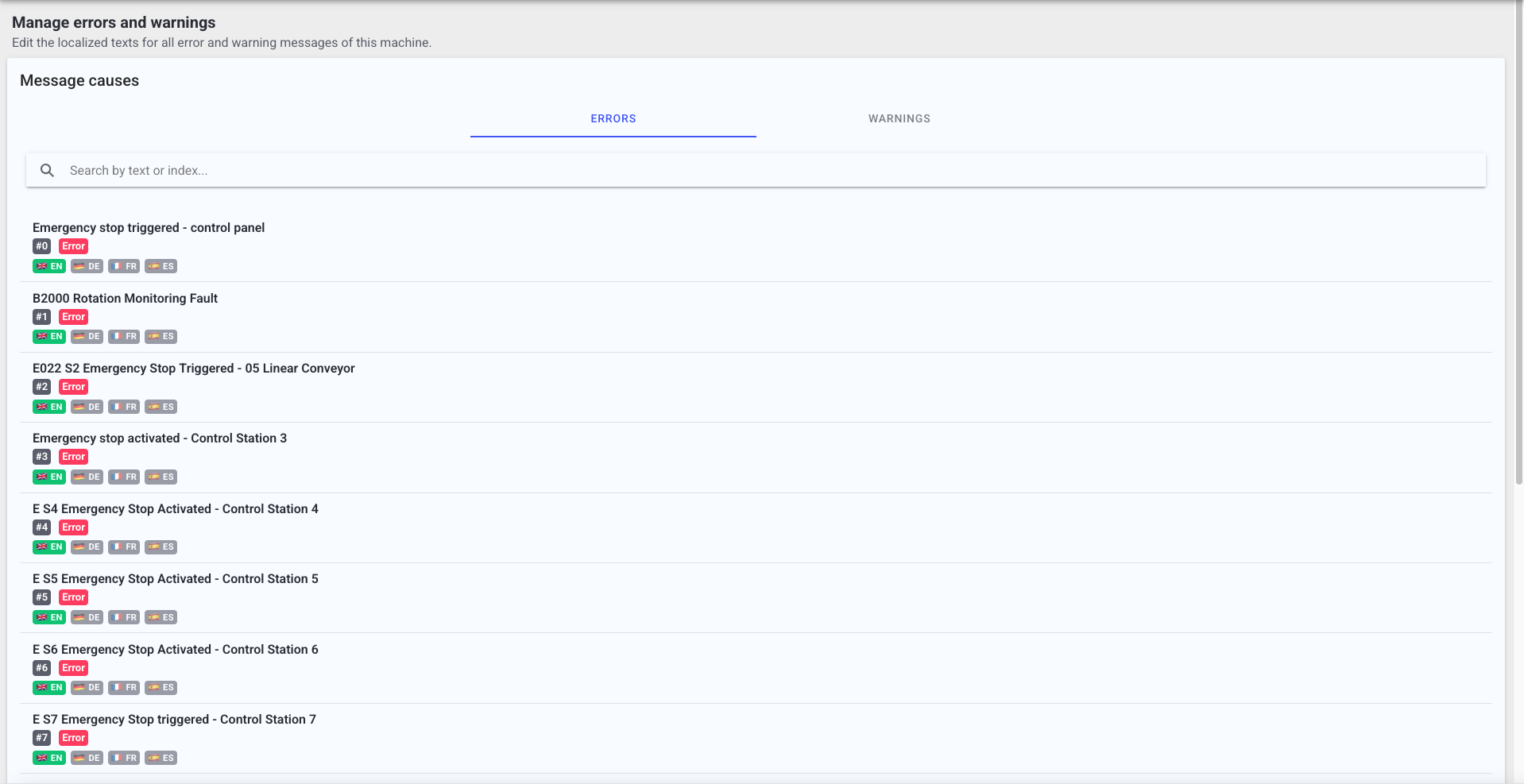
- Tabs for Errors and Warnings.
- Search by text or index.
- A detail view showing the message index and language fields.
- Optional Excel import with preview and validation (for example duplicates or missing fields).
Best practices
- Keep texts short and actionable.
- Ensure key languages are filled so operators can understand messages quickly.
- Update message causes when you add new message indices at the machine level.
Troubleshooting
- Dashboards show numeric message IDs -> Message causes not configured -> Add or import message causes -> Escalate with the machine name and example indices if you lack access
- A message is not found -> Wrong machine selected or index not present -> Verify machine selection and retry -> Escalate to technical staff if the index should exist